
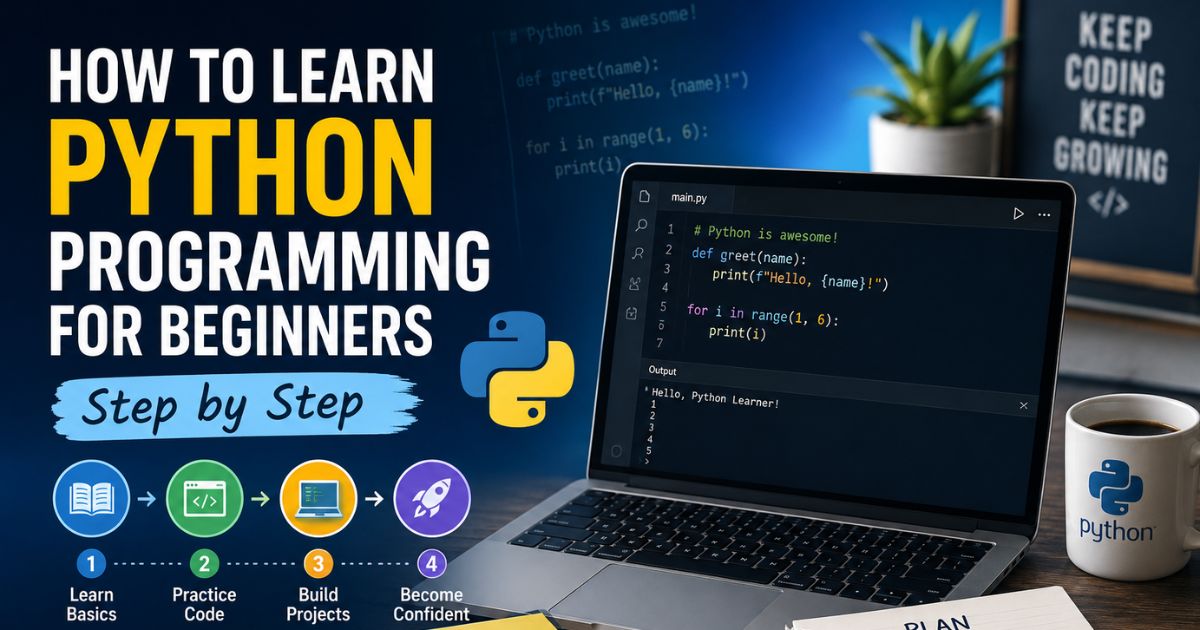

Python has become the most popular programming language worldwide, powering everything from web applications and data analysis to artificial intelligence and scientific computing. Whether you’re looking to switch careers, automate repetitive tasks, or build your own projects, Python offers an accessible entry point into the world of programming.
This guide walks you through everything you need to start coding in Python—from installing your first development environment to writing functional programs. You’ll learn the fundamental concepts, avoid common beginner mistakes, and build a clear roadmap that takes you from complete novice to confident programmer. No prior experience required.
Why Python is Perfect for Beginners
Python’s design philosophy emphasizes code readability and simplicity. Unlike languages that require extensive boilerplate code, Python lets you focus on solving problems rather than wrestling with complex syntax.
Key advantages for new programmers:
- Readable syntax that resembles plain English
- Vast learning resources including documentation, tutorials, and communities
- Immediate applicability across web development, data science, automation, and more
- Strong job market with consistent demand for Python developers
- Extensive libraries that handle complex tasks without reinventing the wheel
- Forgiving error messages that help you understand what went wrong
Companies like Google, Netflix, Instagram, Spotify, and NASA rely on Python for critical systems. The language consistently ranks among the top three in developer surveys and shows no signs of slowing down.
Setting Up Your Python Environment
Before writing any code, you need the right tools installed on your computer.
Installing Python
Visit python.org and download the latest stable version (Python 3.12 or newer as of 2026). Avoid Python 2.x—it’s no longer supported.
Installation steps:
- Download the installer for your operating system (Windows, macOS, or Linux)
- Run the installer
- Important: Check “Add Python to PATH” during installation
- Verify installation by opening your terminal or command prompt
- Type
python --versionand press Enter
You should see something like “Python 3.12.1” confirming successful installation.
Choosing a Code Editor
While you can write Python in any text editor, dedicated code editors make learning significantly easier.
Recommended options for beginners:
| Editor | Best For | Key Features |
|---|---|---|
| VS Code | General learning | Free, extensions, debugging, Git integration |
| PyCharm Community | Serious learners | Smart code completion, error detection, refactoring |
| Thonny | Absolute beginners | Simple interface, built-in Python, step-through debugging |
| Jupyter Notebook | Data analysis focus | Interactive cells, inline output, data visualization |
VS Code strikes the best balance between simplicity and power. Download it from code.visualstudio.com and install the Python extension from Microsoft.
Creating Your First Program
Open your code editor and create a new file named hello.py.
Type this single line:
print("Hello, World!")Save the file, open your terminal in the same folder, and run:
python hello.pyYou should see “Hello, World!” appear. Congratulations—you’ve just written and executed your first Python program.
Understanding Python Fundamentals
Mastering these core concepts creates the foundation for everything else you’ll learn.
Variables and Data Types
Variables store information you can use and manipulate throughout your program.
name = "Sarah"           # String (text)
age = 28                 # Integer (whole number)
height = 5.6             # Float (decimal number)
is_student = True        # Boolean (True or False)
Python automatically determines the data type based on the value you assign. You don’t need to declare types explicitly like in Java or C++.
Common data types:
- Strings: Text enclosed in quotes (
"hello"or'hello') - Integers: Whole numbers (
42,-10,0) - Floats: Decimal numbers (
3.14,-0.5,2.0) - Booleans:
TrueorFalse - Lists: Ordered collections (
[1, 2, 3, 4]) - Dictionaries: Key-value pairs (
{"name": "John", "age": 30})
Working with Strings
Strings represent text and support many useful operations.
greeting = "Hello"
name = "Alex"

# Concatenation
message = greeting + " " + name  # "Hello Alex"

# F-strings (modern and preferred)
message = f"{greeting} {name}"   # "Hello Alex"

# String methods
text = "python programming"
print(text.upper())              # "PYTHON PROGRAMMING"
print(text.capitalize())         # "Python programming"
print(text.replace("python", "Python"))  # "Python programming"
F-strings (formatted string literals) are the cleanest way to insert variables into text. Place an f before the opening quote and wrap variables in curly braces.
Lists and Indexing
Lists store multiple items in a single variable.
fruits = ["apple", "banana", "orange", "grape"]

# Accessing items (indexing starts at 0)
print(fruits[0])     # "apple"
print(fruits[-1])    # "grape" (last item)

# Adding items
fruits.append("mango")

# Removing items
fruits.remove("banana")

# List length
print(len(fruits))   # 4
Lists are mutable—you can change, add, or remove items after creation.
Dictionaries for Structured Data
Dictionaries store data as key-value pairs, perfect for representing real-world objects.
person = {
    "name": "Emily",
    "age": 32,
    "city": "Boston",
    "skills": ["Python", "SQL", "Excel"]
}

# Accessing values
print(person["name"])           # "Emily"
print(person.get("age"))        # 32

# Adding new key-value pairs
person["email"] = "emily@example.com"

# Modifying values
person["age"] = 33
Use dictionaries when you need to associate descriptive labels with values rather than relying on position-based indexing.
Control Flow: Making Decisions
Programs need to make decisions based on conditions and repeat actions efficiently.
If Statements
If statements execute code only when specific conditions are met.
temperature = 75

if temperature > 80:
    print("It's hot outside")
elif temperature > 60:
    print("Nice weather")
else:
    print("It's cold")
Comparison operators:
==equal to!=not equal to>greater than<less than>=greater than or equal to<=less than or equal to
Logical operators for combining conditions:
age = 25
has_license = True

if age >= 18 and has_license:
    print("Can drive")

if age < 13 or age > 65:
    print("Discounted ticket")
For Loops
For loops repeat code for each item in a sequence.
# Loop through a list
fruits = ["apple", "banana", "orange"]
for fruit in fruits:
    print(f"I like {fruit}")

# Loop through a range of numbers
for number in range(5):
    print(number)  # Prints 0, 1, 2, 3, 4

# Loop with start and end
for number in range(1, 6):
    print(number)  # Prints 1, 2, 3, 4, 5
The range() function generates sequences of numbers. range(5) creates numbers from 0 to 4 (not including 5).
While Loops
While loops continue until a condition becomes false.
count = 0
while count < 5:
    print(f"Count is {count}")
    count += 1  # Same as count = count + 1
Be careful with while loops—if the condition never becomes false, you’ll create an infinite loop that runs forever (press Ctrl+C to stop it).
Functions: Reusable Code Blocks
Functions let you write code once and use it multiple times with different inputs.
def greet(name):
    return f"Hello, {name}!"

message = greet("David")
print(message)  # "Hello, David!"
Function components:
defkeyword starts the function definitiongreetis the function namenameis a parameter (input variable)returnsends a value back to the caller
Functions with Multiple Parameters
def calculate_area(length, width):
    area = length * width
    return area

room_area = calculate_area(12, 10)
print(f"Room area: {room_area} square feet")
Default Parameter Values
def create_profile(name, role="Member"):
    return f"{name} - {role}"

print(create_profile("Alice"))              # "Alice - Member"
print(create_profile("Bob", "Admin"))       # "Bob - Admin"
Default values make parameters optional. If the caller doesn’t provide a value, the default is used.
Why Functions Matter
Functions improve code quality by:
- Reducing repetition: Write once, use everywhere
- Improving readability: Descriptive names explain what code does
- Simplifying testing: Test small pieces independently
- Enabling collaboration: Team members can work on different functions
Working with Files
Real programs need to read data from files and save results.
Reading Files
# Reading entire file
with open("data.txt", "r") as file:
    content = file.read()
    print(content)

# Reading line by line
with open("data.txt", "r") as file:
    for line in file:
        print(line.strip())  # strip() removes extra whitespace
The with statement automatically closes the file when you’re done, even if errors occur.
Writing to Files
# Writing (overwrites existing content)
with open("output.txt", "w") as file:
    file.write("First line\n")
    file.write("Second line\n")

# Appending (adds to existing content)
with open("output.txt", "a") as file:
    file.write("Third line\n")
File modes:
"r"read only"w"write (creates new file or overwrites)"a"append (adds to end of file)"r+"read and write
Error Handling
Errors will happen. Professional code handles them gracefully.
def divide_numbers(a, b):
    try:
        result = a / b
        return result
    except ZeroDivisionError:
        return "Cannot divide by zero"
    except TypeError:
        return "Please provide numbers"

print(divide_numbers(10, 2))   # 5.0
print(divide_numbers(10, 0))   # "Cannot divide by zero"
The try block contains code that might fail. If an error occurs, Python jumps to the matching except block instead of crashing.
Common exceptions:
ValueError: Invalid value for an operationTypeError: Wrong data typeFileNotFoundError: File doesn’t existKeyError: Dictionary key doesn’t existIndexError: List index out of range
Understanding Python Packages and pip
Python’s power comes from its extensive ecosystem of third-party packages.
What is pip?
pip is Python’s package installer, included automatically with modern Python installations.
Installing Packages
pip install requests
pip install pandas
pip install matplotlib
Using Installed Packages
import requests

response = requests.get("https://api.github.com")
print(response.status_code)  # 200 means success
Popular Packages by Category
Web Development:
- Django, Flask (web frameworks)
- FastAPI (modern API development)
- BeautifulSoup, Scrapy (web scraping)
Data Science:
- Pandas (data manipulation)
- NumPy (numerical computing)
- Matplotlib, Seaborn (visualization)
- Scikit-learn (machine learning)
Automation:
- Selenium (browser automation)
- Schedule (task scheduling)
- Paramiko (SSH connections)
General Utilities:
- Requests (HTTP requests)
- Pillow (image processing)
- python-dotenv (environment variables)
Your Learning Roadmap
Follow this structured path to build skills progressively.
Weeks 1-2: Foundation
- Install Python and VS Code
- Learn variables, data types, and basic operations
- Practice with strings and basic math
- Write simple programs that ask for user input
- Complete 10-15 small exercises daily
Practice project: Calculator program that performs basic arithmetic based on user input
Weeks 3-4: Control Structures
- Master if/elif/else statements
- Practice for and while loops
- Combine conditions with logical operators
- Learn list comprehensions
- Work through 20-30 exercises
Practice project: Number guessing game where the computer picks a random number and gives hints
Weeks 5-6: Functions and Data Structures
- Write custom functions with parameters
- Understand return values
- Work with lists, dictionaries, and tuples
- Practice nested data structures
- Learn when to use each data type
Practice project: Contact management system that stores and retrieves contact information
Weeks 7-8: File Operations and Error Handling
- Read from and write to text files
- Work with CSV files
- Handle exceptions properly
- Validate user input
- Debug common errors
Practice project: Expense tracker that saves transactions to a file and calculates totals
Weeks 9-12: Intermediate Concepts
- Object-oriented programming basics (classes and objects)
- Work with popular packages
- Build projects using external APIs
- Practice with real datasets
- Study other people’s code on GitHub
Practice project: Weather application that fetches data from a weather API and displays forecasts
Months 4-6: Specialization
Choose a direction based on your interests:
Web Development:
- Learn Flask or Django
- Build dynamic websites
- Understand databases (SQLite, PostgreSQL)
- Deploy applications online
Data Analysis:
- Master Pandas and NumPy
- Create visualizations with Matplotlib
- Work with real datasets
- Build data cleaning pipelines
Automation:
- Script repetitive tasks
- Automate file organization
- Build web scrapers
- Create scheduled jobs
Career Development:
- Contribute to open-source projects
- Build a portfolio of 3-5 substantial projects
- Write about what you learn
- Network in Python communities
Best Practices for Faster Learning
These strategies significantly accelerate skill development.
Code Every Day
Consistency beats intensity. Thirty minutes daily outperforms three-hour weekend sessions. Your brain needs regular exposure to build programming intuition.
Create a specific time and place for coding. Treat it like brushing your teeth—non-negotiable routine.
Type Code Manually
Never copy-paste tutorial code. Typing forces your brain to process syntax and builds muscle memory. You’ll catch more details and remember concepts longer.
Build Projects, Not Just Tutorials
Tutorial completion feels productive but rarely builds real skills. After learning a concept, immediately apply it to a personal project.
Start small:
- Todo list application
- Password generator
- Simple quiz game
- File organizer
- Budget calculator
Each project should stretch your abilities slightly beyond your comfort zone.
Read Other People’s Code
Open GitHub repositories and study how experienced developers structure programs. You’ll discover new techniques, better patterns, and different approaches to problems you’ve solved.
Look for projects marked “good first issue” when you’re ready to contribute.
Debug Before Asking for Help
When code breaks, resist immediately searching for answers. Spend 15-20 minutes debugging:
- Read the error message completely
- Identify the line number where it occurred
- Print variable values before the error
- Check for typos in variable names
- Verify correct indentation
This struggle builds problem-solving skills that tutorials can’t teach.
Join Programming Communities
Learning in isolation is harder. Join communities where you can ask questions and help others:
- Reddit: r/learnpython
- Discord: Python Discord server
- Stack Overflow (search first, ask second)
- Local Python meetups
- Online study groups
Explaining concepts to others reinforces your own understanding.
Track Your Progress
Keep a learning journal documenting:
- What you learned today
- Problems you solved
- Mistakes you made
- Questions that arose
- Small wins
Reviewing this weekly shows progress that daily coding can obscure.
Common Beginner Mistakes to Avoid
Recognizing these pitfalls early saves frustration.
Trying to Learn Too Fast
Programming isn’t a race. Rushing through tutorials without practicing creates the illusion of progress. You’ll forget concepts within days.
Spend twice as much time practicing as learning new material.
Tutorial Hell
Watching endless tutorials feels productive but builds dependency. You’ll become great at following instructions but freeze when facing blank files.
Limit tutorials to 30% of your learning time. Spend 70% building and experimenting.
Not Reading Error Messages
Error messages tell you exactly what went wrong and where. New programmers often panic and search randomly instead of reading the message.
Python’s error messages are remarkably helpful:
Traceback (most recent call last):
  File "program.py", line 5, in <module>
    print(user_nam)
NameError: name 'user_nam' is not defined. Did you mean: 'user_name'?
This tells you the file, line number, problem, and even suggests a fix.
Inconsistent Indentation
Python uses indentation to define code blocks. Mixing tabs and spaces causes errors.
# Wrong - inconsistent indentation
def greet():
    print("Hello")
      print("Welcome")  # Too much indentation

# Correct
def greet():
    print("Hello")
    print("Welcome")
Configure your editor to convert tabs to 4 spaces automatically.
Comparing Instead of Assigning
Single = assigns values. Double == compares values.
# Wrong
if name = "John":  # SyntaxError

# Correct
if name == "John":
    print("Hello John")
Not Using Virtual Environments
Installing all packages globally creates conflicts when different projects need different versions.
Create isolated environments for each project:
python -m venv myproject_envActivate it before working:
Windows: myproject_env\Scripts\activate
Mac/Linux: source myproject_env/bin/activate
Ignoring Documentation
Official documentation seems intimidating but contains the most accurate, complete information. Learn to reference docs instead of relying solely on tutorials.
Start with Python’s tutorial at docs.python.org/tutorial.
Essential Resources for Learning
Quality resources accelerate learning significantly.
Official Documentation
- Python.org Tutorial: Comprehensive guide from Python’s creators
- Python Standard Library: Reference for built-in modules
Interactive Learning Platforms
- Exercism: Practice exercises with mentor feedback
- LeetCode: Algorithm challenges (start with Easy)
- HackerRank: Structured problem sets
- Codewars: Gamified coding challenges
Books Worth Reading
- “Python Crash Course” by Eric Matthes: Project-based beginner guide
- “Automate the Boring Stuff with Python” by Al Sweigart: Practical automation (free online)
- “Fluent Python” by Luciano Ramalho: Intermediate to advanced concepts
Video Resources
- Corey Schafer (YouTube): Clear, thorough Python tutorials
- Real Python: Written tutorials and video courses
- freeCodeCamp: Long-form project tutorials
Practice Platforms
- Replit: Code directly in browser, share projects
- GitHub: Version control and portfolio building
- Kaggle: Data science projects and competitions
What to Learn After Basics
Once comfortable with fundamentals, expand strategically.
Version Control with Git
Git tracks code changes and enables collaboration. Every professional developer uses it.
Basic workflow:
git init                          # Start tracking a project
git add .                         # Stage changes
git commit -m "Add new feature"   # Save snapshot
git push                          # Upload to GitHub
Learn basic branching, merging, and pull requests.
Object-Oriented Programming
OOP organizes code into reusable objects with properties and behaviors.
class Dog:
    def __init__(self, name, age):
        self.name = name
        self.age = age

    def bark(self):
        return f"{self.name} says woof!"

my_dog = Dog("Max", 3)
print(my_dog.bark())  # "Max says woof!"
Essential for larger applications and many frameworks.
Testing Your Code
Professional developers test code automatically.
def add(a, b):
    return a + b

def test_add():
    assert add(2, 3) == 5
    assert add(-1, 1) == 0
    assert add(0, 0) == 0
Learn pytest for automated testing.
Working with APIs
APIs let programs communicate. Most modern applications consume data from external services.
import requests

response = requests.get("https://api.coindesk.com/v1/bpi/currentprice.json")
data = response.json()
price = data["bpi"]["USD"]["rate"]
print(f"Bitcoin price: ${price}")
Database Fundamentals
Applications need persistent data storage beyond files.
Start with SQLite (built into Python), then progress to PostgreSQL or MongoDB.
import sqlite3

conn = sqlite3.connect('users.db')
cursor = conn.cursor()

cursor.execute('''
    CREATE TABLE users (
        id INTEGER PRIMARY KEY,
        name TEXT,
        email TEXT
    )
''')

cursor.execute("INSERT INTO users (name, email) VALUES (?, ?)",
               ("Alice", "alice@example.com"))
conn.commit()
Career Paths with Python
Python opens diverse career opportunities.
Software Developer
Build applications, tools, and systems. Entry-level positions typically require:
- Strong fundamentals
- Version control proficiency
- Understanding of databases
- 2-3 portfolio projects
- Problem-solving skills
Expected salary range: $70,000-$110,000 (varies by location and experience)
Data Analyst
Extract insights from data using Python, SQL, and visualization tools. Requirements:
- Pandas and NumPy expertise
- Data visualization skills
- Statistical knowledge
- SQL proficiency
- Communication skills
Expected salary range: $65,000-$100,000
Data Scientist
Build predictive models and analyze complex datasets. More advanced than data analyst:
- Machine learning knowledge
- Statistical modeling
- Advanced mathematics
- Domain expertise
- Business acumen
Expected salary range: $95,000-$150,000
DevOps Engineer
Automate infrastructure and deployment processes:
- Python scripting
- Linux administration
- Cloud platforms (AWS, Azure)
- Container technologies
- CI/CD pipelines
Expected salary range: $90,000-$140,000
Automation Engineer
Script repetitive tasks and build testing frameworks:
- Python automation libraries
- Testing frameworks
- Web scraping
- Process optimization
- System integration
Expected salary range: $75,000-$115,000
Machine Learning Engineer
Develop and deploy AI systems:
- Deep learning frameworks
- Model optimization
- Production deployment
- Data engineering
- Mathematics foundation
Expected salary range: $110,000-$170,000
Measuring Your Progress
Track advancement through concrete milestones.
Week 4 Milestone:
- Write functions without referencing documentation
- Solve FizzBuzz problem independently
- Debug simple errors without searching
- Explain variables and loops to someone else
Month 3 Milestone:
- Build complete programs from scratch
- Read and understand others’ code
- Use external packages confidently
- Handle errors gracefully
- Complete medium-difficulty challenges
Month 6 Milestone:
- Build multi-file applications
- Understand OOP principles
- Work with APIs and databases
- Contribute to open-source projects
- Help other beginners solve problems
Month 12 Milestone:
- Complete substantial portfolio projects
- Comfortable with specialized frameworks
- Write tests for your code
- Deploy applications online
- Ready for junior developer roles
Staying Motivated Through Challenges
Programming presents inevitable frustration. Strategies for persistence:
Expect Struggle
Feeling confused doesn’t mean you’re failing—it means you’re learning. Every experienced developer has spent hours stuck on problems that seem simple in hindsight.
Celebrate Small Wins
Made a button work? Fixed a bug? Got your loop running? These deserve recognition. Keep a “wins” document and read it when discouraged.
Take Strategic Breaks
Stepping away often leads to solutions. Your subconscious continues processing problems. Many “aha moments” happen in the shower or during walks.
Change Your Approach
If a concept won’t click, try different resources. One explanation might resonate where others confused. Some people learn better from videos, others from reading, others from doing.
Remember Your Why
Connect daily practice to your larger goals. Whether you’re building a career, automating your current job, or creating something meaningful, keep that vision visible.
Find Accountability
Share your learning commitment publicly. Join a study group. Start a learning blog. External accountability increases follow-through significantly.
Frequently Asked Questions
How long does it take to learn Python?
Basic proficiency takes 3-6 months with consistent practice. You’ll write useful programs within weeks, but mastery is an ongoing process. Career-ready skills typically develop over 12-18 months of dedicated learning and project building.
Do I need to be good at math?
Basic Python requires only elementary arithmetic. Advanced fields like data science and machine learning need stronger math foundations, but you can learn as you go. Start coding now—math requirements become clear as you progress.
Should I learn Python 2 or Python 3?
Python 3, always. Python 2 reached end-of-life in 2020 and receives no updates or security patches. All new projects use Python 3.
Can I learn Python on my phone?
Technically yes, but practically no. Mobile coding apps work for quick practice but lack the tools needed for real development. Invest in a computer—even basic laptops handle Python fine.
Is Python good for getting a job?
Yes. Python ranks among the most in-demand programming languages. It’s particularly strong for backend development, data roles, automation, and scientific computing. Competition exists, but qualified Python developers find opportunities.
What’s better—online courses or bootcamps?
Depends on your learning style and resources. Bootcamps provide structure, deadlines, and community but cost thousands. Self-directed learning costs less but requires more discipline. Hybrid approaches work well—structured curriculum with self-paced execution.
How do I know if my code is good?
Good code works reliably, reads clearly, and handles errors gracefully. Early on, focus on functionality. As skills grow, study style guides (PEP 8 for Python) and learn refactoring. Code reviews from experienced developers provide invaluable feedback.
Should I specialize or learn multiple languages?
Build solid Python foundations before adding languages. Deep knowledge of one language beats surface-level familiarity with several. Once comfortable with Python, learning other languages becomes easier—core concepts transfer.
What if I get stuck and can’t solve a problem?
First, debug systematically—read errors, print variables, simplify the problem. After genuine effort (20-30 minutes), search specifically for your error message. If still stuck, ask for help with context: what you’re trying to do, what you tried, and the specific error.
Can I learn Python without a CS degree?
Absolutely. Many successful Python developers are self-taught. Degrees help but aren’t required. Focus on building skills and projects that demonstrate competence. Portfolios often matter more than credentials for entry-level positions.
Conclusion
Learning Python opens doors to countless opportunities—from building useful tools to launching technical careers. The path requires patience, consistent effort, and willingness to struggle through challenges, but the skills you build compound over time.
Start with basics, practice daily, and build projects that interest you. Don’t chase perfection or try to learn everything at once. Every expert programmer wrote terrible code as a beginner. What separates successful learners from those who quit is persistence through frustration.
Your first few programs won’t be elegant. You’ll write code that works but feels clumsy. You’ll spend an hour debugging only to discover a single-letter typo. This is normal. These experiences build the problem-solving skills that tutorials can’t teach.
Set up your environment today. Write something simple. Make it work. Make it better. Repeat tomorrow. Six months from now, you’ll look back amazed at how far you’ve progressed. The best time to start was yesterday. The second best time is now.